Capture Every Moment
Timestamp Camera automatically stamps every photo and video with accurate time, date, GPS coordinates, altitude, and compass direction — right on your iPhone, nothing uploaded.
Camera, location, and stamp settings all stay on your device.

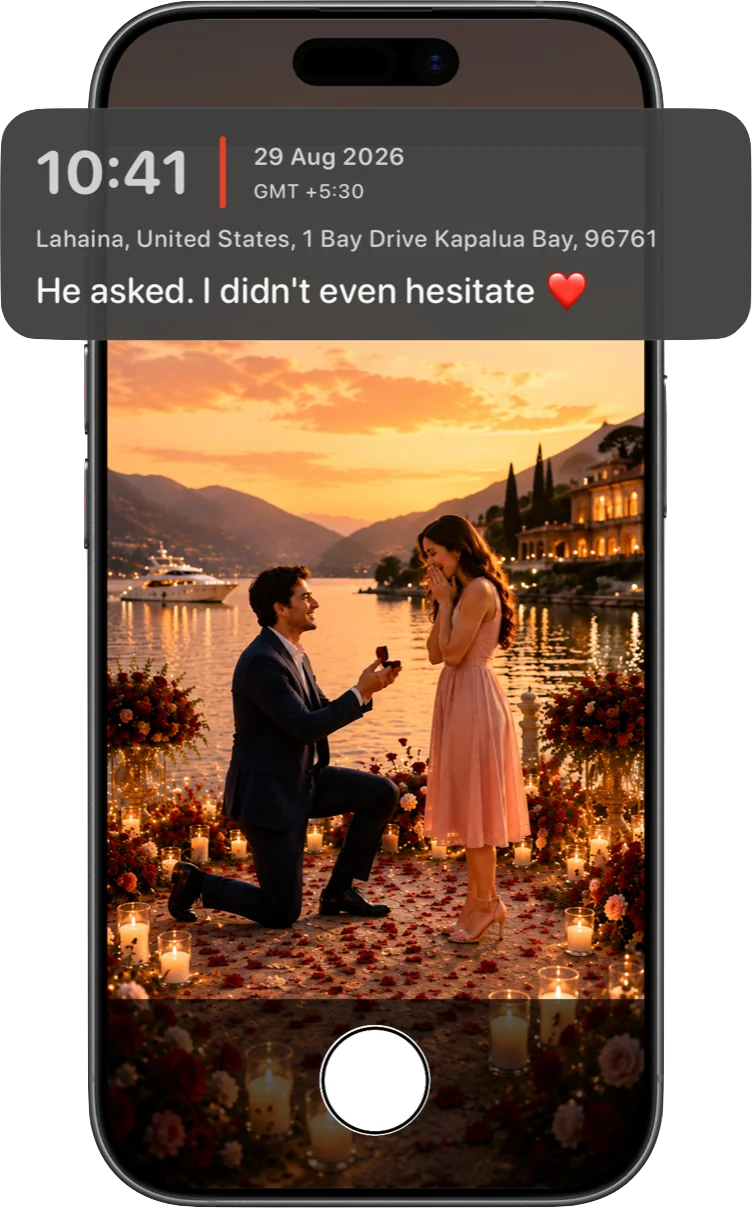
Make every photo tell a story
Add a short note right alongside the date, time, and place — the difference between a photo that shows a moment and one that explains it.
- Clean, readable stamp design that never overwhelms the photo
- Drag, resize, and reposition the stamp anywhere on the frame
- Optional note field for context only you can add
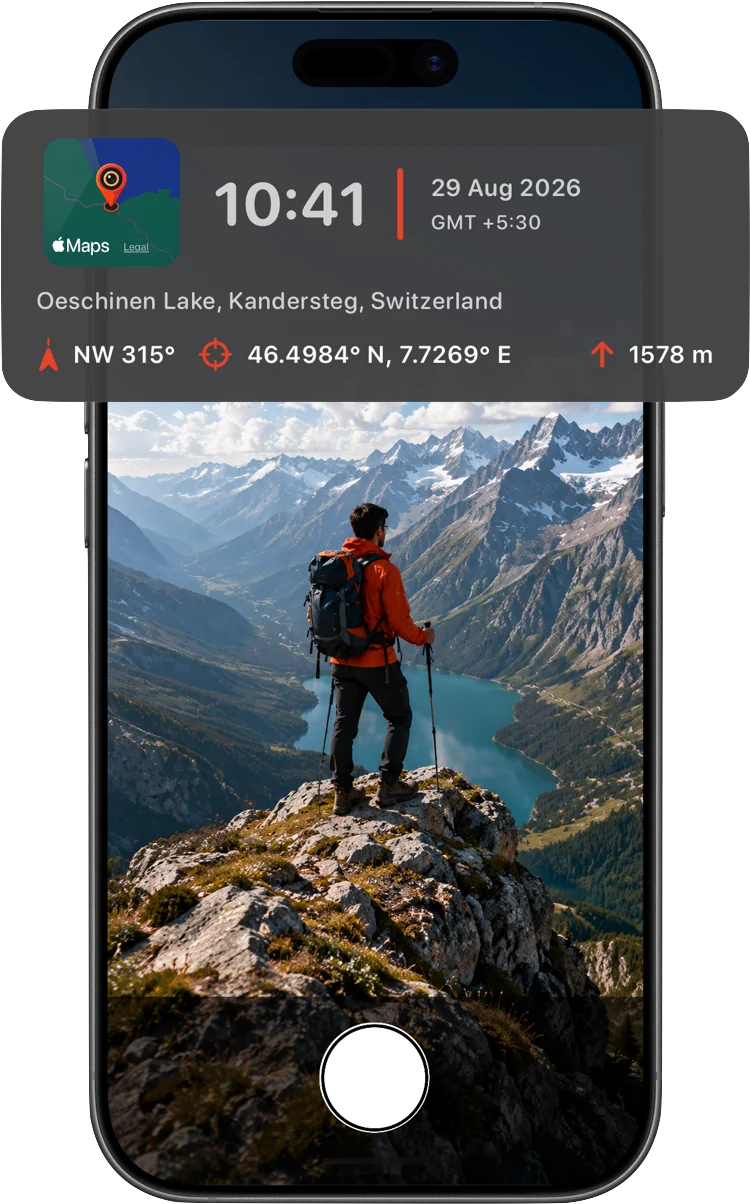
Powerful location stamps
Display a map thumbnail, precise GPS coordinates, compass direction, and altitude with a single tap — the detail field crews, hikers, and inspectors actually need.
- GPS coordinates in your preferred format
- Altitude in meters or feet
- Live compass heading with true or magnetic north
- Small map thumbnail pinned to the exact capture point
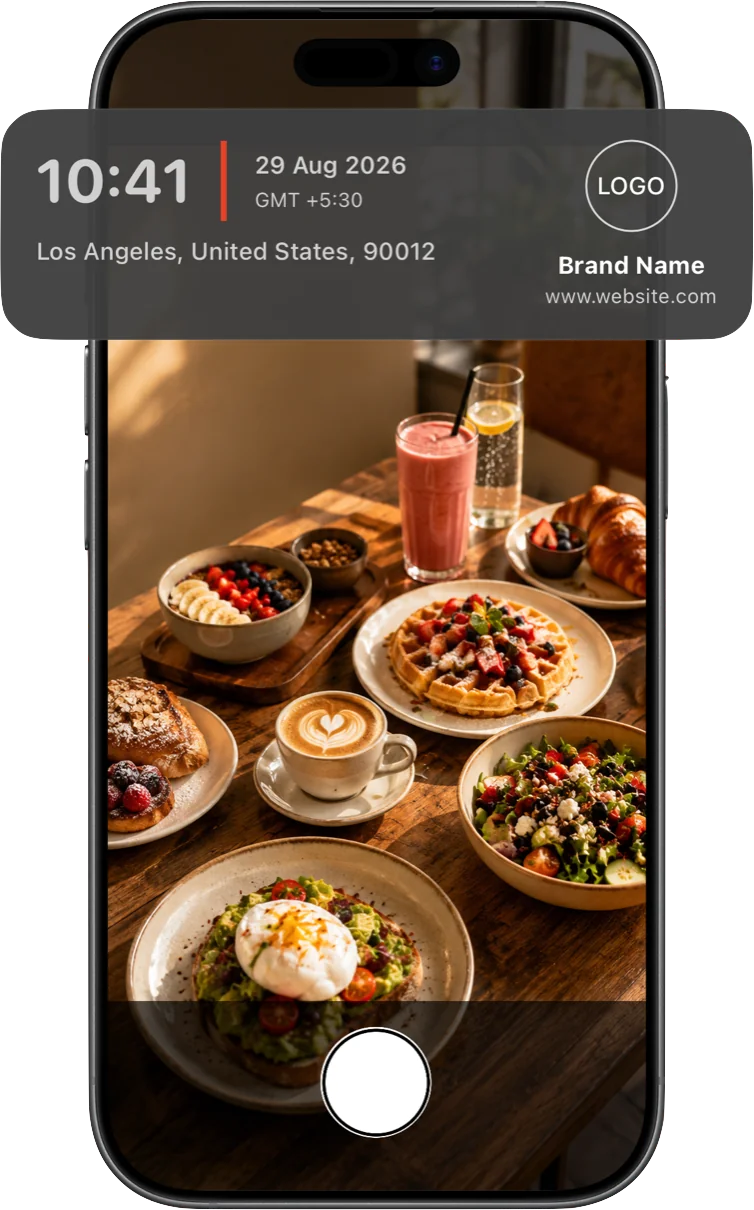
Create your signature style
Personalize every photo with your own logo, name, and website. Built for creators, real estate agents, contractors, and small businesses who want their work recognized at a glance.
- Upload your own logo image
- Add your name or business name
- Include a website or contact line
Built for real work, not just memories
A visible, verifiable timestamp turns an ordinary photo into a record.
Real estate & property
Document a property's condition, address, and exact capture time for listings, walkthroughs, and inspections.
Learn more →Delivery & field service
Proof of delivery or completed work, stamped with the time and precise location it happened — no separate app needed.
Learn more →Construction & site inspection
Track progress across a site over time with altitude, coordinates, and compass direction on every photo.
Learn more →Travel & outdoors
Keep a running record of a trip or hike — where you were, how high up, and which way you were facing.
Learn more →Frequently asked questions
Is my location data ever uploaded anywhere?
No. Your coordinates, address, and map thumbnail are stamped directly onto the photo or video on your device and are never sent to our servers. The only network request involved is Apple's own on-device MapKit resolving a coordinate into a readable address.
Does it work without an internet connection?
Yes, for the core stamp. Time, GPS coordinates, altitude, and compass heading all work fully offline. The optional street-address line needs a network connection to resolve — if you're offline, that field is simply left off until you're back online.
Can I choose what appears in the stamp?
Yes. Time, date, time zone, GPS coordinates, altitude, compass heading, street address, map thumbnail, a custom note, and your logo or brand text can each be toggled on or off, and repositioned on the frame.
Does it stamp video, or only photos?
Both. The same stamp overlay is burned live into recorded video, not just still photos.
If I share a stamped photo, can people see exactly where it was taken?
Yes — that's the point of a visible stamp. The date, time, and location are burned into the image itself, not hidden metadata, so anyone who sees the photo can see where and when it was taken. Worth keeping in mind before posting a stamped photo publicly.